Your Event App, Explained
The event app is your command centre for the summit: from pre-event networking to live session participation. This guide walks you through everything it can do, so you arrive prepared and leave with more. Available on web and mobile.
Making the Most of Your Two Days
Carbon Unbound Europe brings together a community of the most senior leaders across CDR, from corporate buyers, project developers, investors, policymakers, and market infrastructure leaders. The event app is how you make this network work for you. The features below are available from the moment your account is activated. We recommend setting everything up at least a week before the summit.
FEATURE 01
Browse the Full Attendee List
One of the most valuable tools in the app is the attendee list, searchable and filterable across three key dimensions: market role (buyer, developer, investor, etc.), carbon pathway (BECCS, DACCS, enhanced weathering, biochar, ocean, etc.), and organisation type (corporate, start-up, NGO, researcher, etc.). Use these filters in combination to surface exactly the right people for your priorities at this event. Click here to get started

FEATURE 02
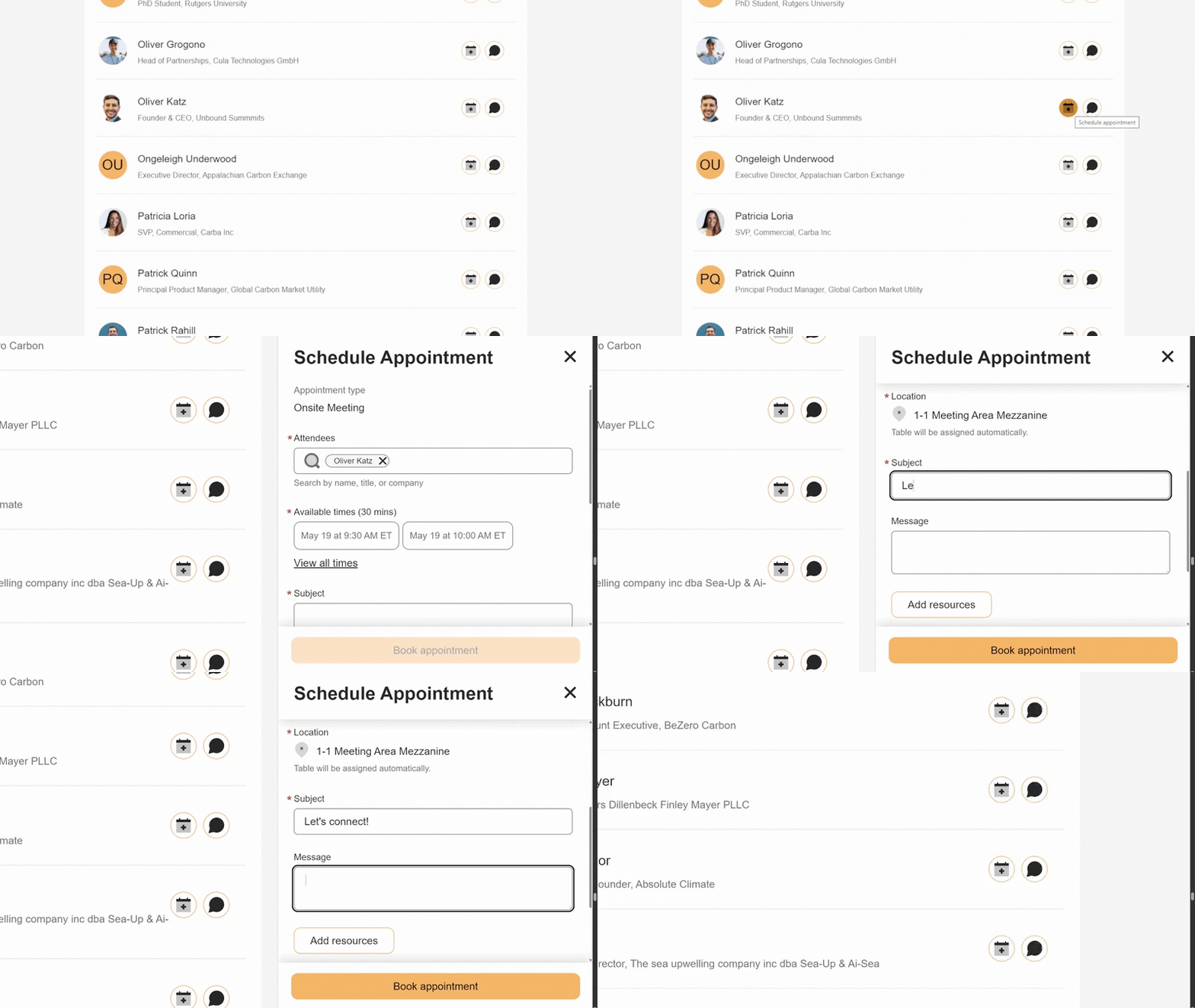
Book 1-1 Meetings in Advance
Send meeting requests to the people you most want to connect with and agree a time before you arrive. Start day one with a full calendar of confirmed conversations. Click here to start connecting.
FEATURE 03
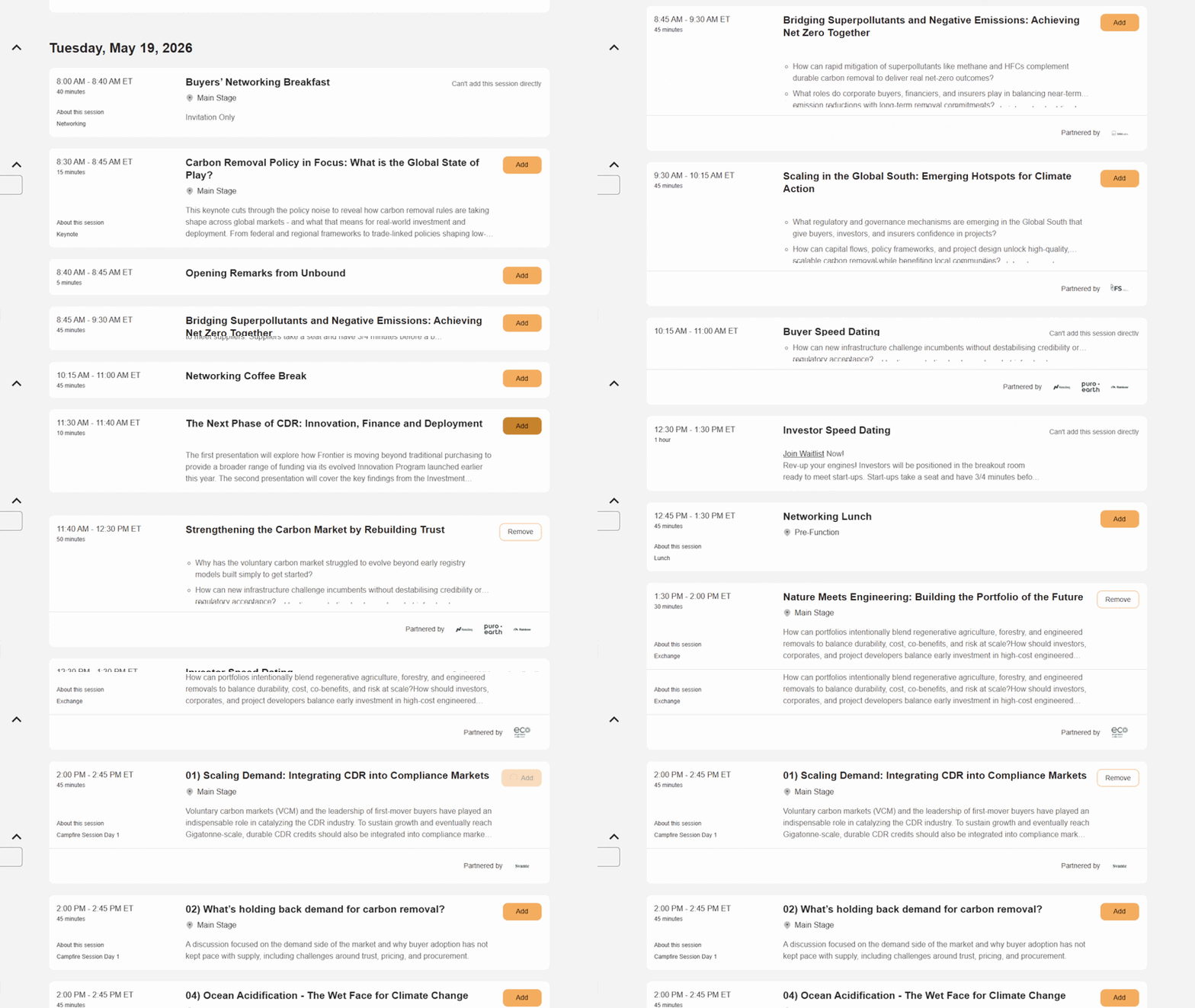
Explore the Agenda
View the full agenda across the two days with session descriptions and confirmed speakers, then save the ones you want to attend to your personal schedule with a single tap. Click here to view the agenda.
FEATURE 04
Sign Up to Campfires
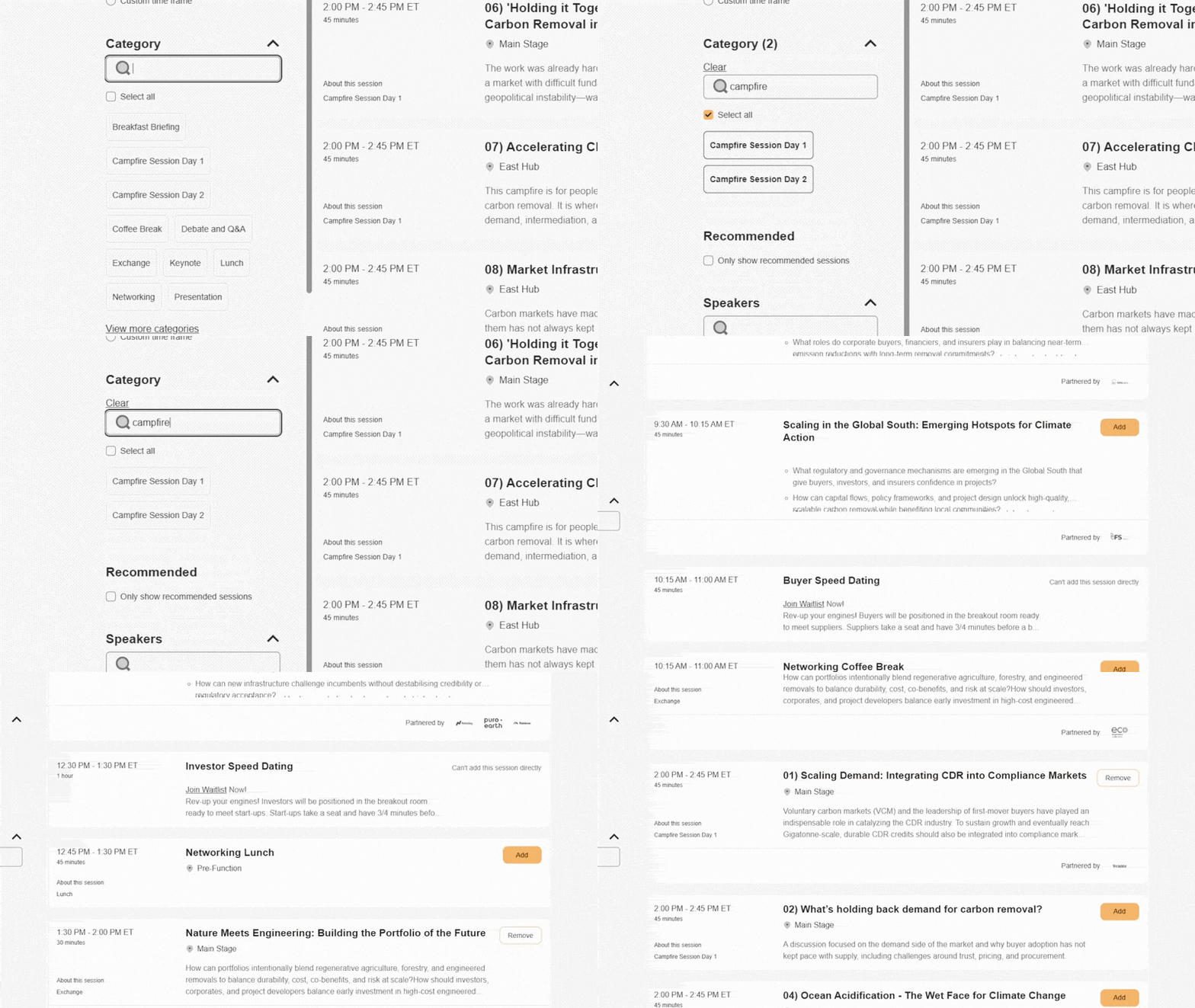
Campfires are small, expert-led discussions with limited places, filling up fast after registration opens. Browse the topics, find the ones most relevant to your work, and reserve your seat directly in the app. Click here to sign up.
FEATURE 05
Manage Your Personal Schedule
Your personal schedule consolidates everything in one place, including saved sessions, booked Campfires, and confirmed meetings. You'll receive reminders throughout both days so you are always where you need to be. Click here to manage your schedule.
FEATURE 06
Set Up Your Profile
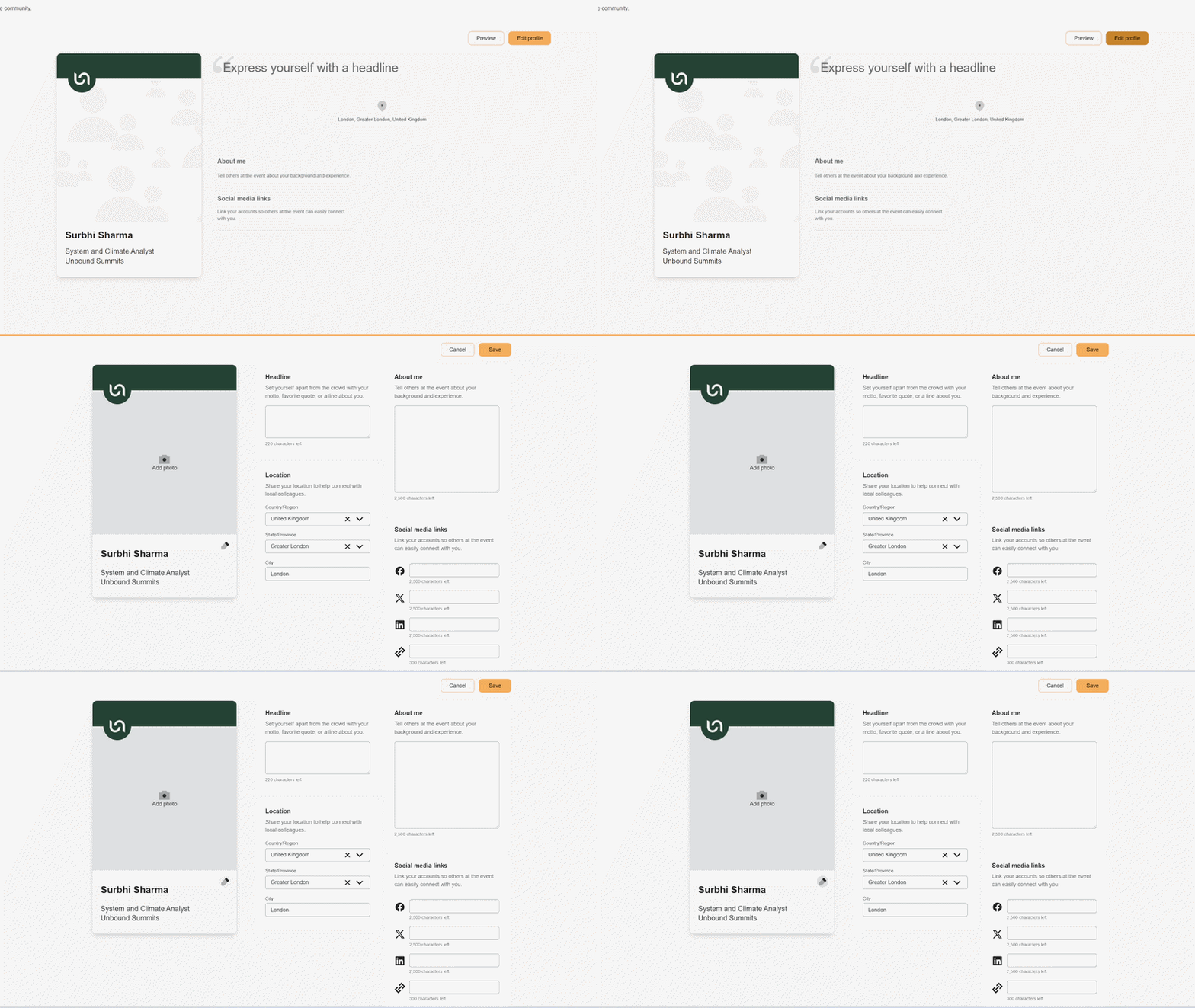
A complete profile with your role, organisation, carbon pathway, and a photo is the most effective way to increase the quality of your inbound meeting requests. Delegates actively browse profiles when deciding who to approach. Click here to complete your profile.
FEATURE 07
Join the Q&A
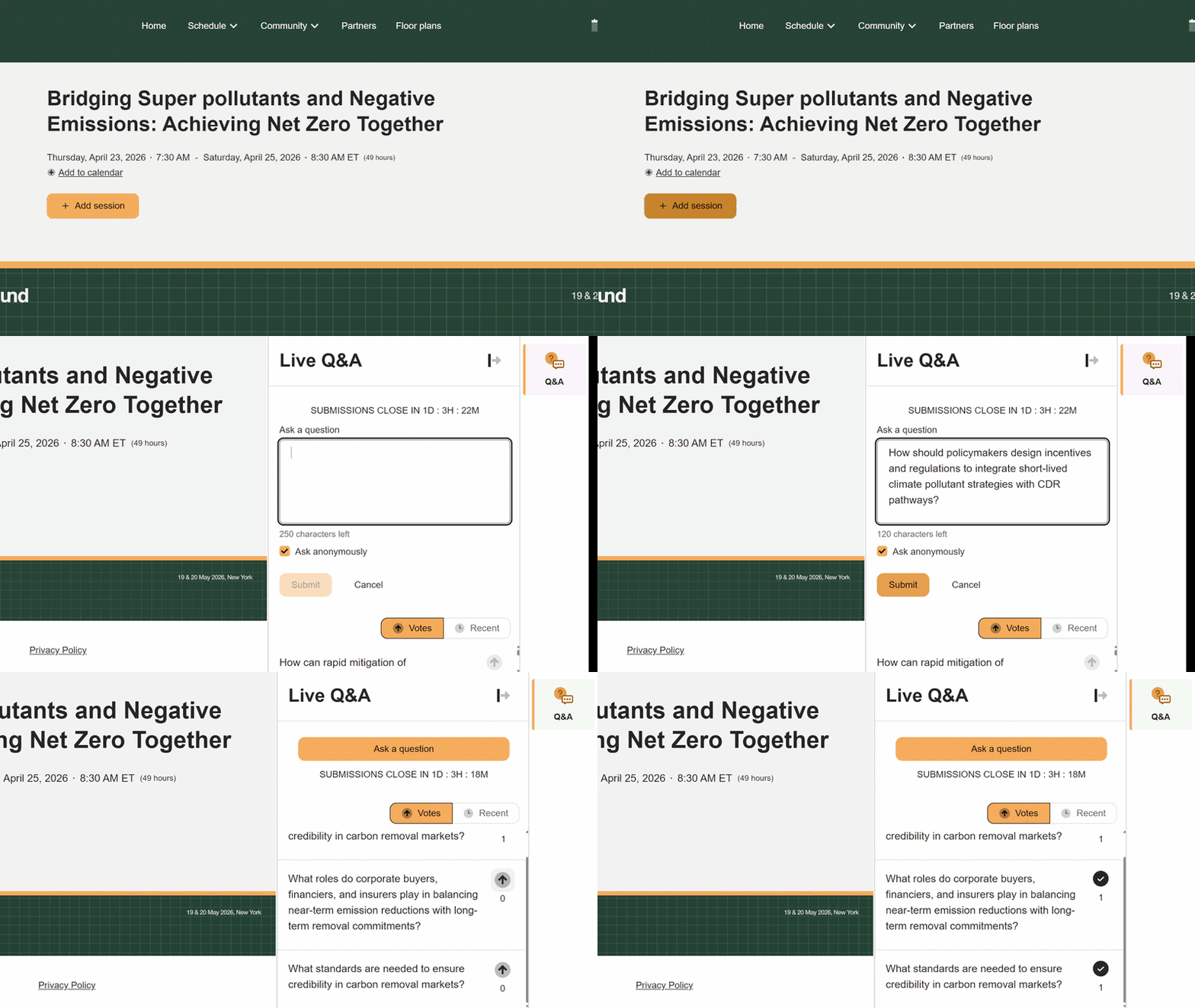
Submit questions directly through the app either named or anonymously and upvote others to surface what matters most to the audience with no microphone required. To take part in the live Q&A, you must add the session to your schedule. The Q&A portal opens 15 minutes before the session starts and is accessible on the session page. Once live, you can submit questions and vote on others, with the most popular rising to the top to ensure speakers address them during the dedicated Q&A wrap-up at the end of the session.
Making the Most of Your Two Days
Carbon Unbound Europe brings together a community of the most senior leaders across CDR, from corporate buyers, project developers, investors, policymakers, and market infrastructure leaders. The event app is how you make this network work for you. The features below are available from the moment your account is activated. We recommend setting everything up at least a week before the summit.
FEATURE 01
Browse the Full Attendee List
One of the most valuable tools in the app is the attendee list, searchable and filterable across three key dimensions: market role (buyer, developer, investor, etc.), carbon pathway (BECCS, DACCS, enhanced weathering, biochar, ocean, etc.), and organisation type (corporate, start-up, NGO, researcher, etc.). Use these filters in combination to surface exactly the right people for your priorities at this event. Click here to get started
FEATURE 02
Book 1-1 Meetings in Advance
Send meeting requests to the people you most want to connect with and agree a time before you arrive. Start day one with a full calendar of confirmed conversations. Click here to start connecting.
FEATURE 03
Explore the Agenda
View the full agenda across the two days with session descriptions and confirmed speakers, then save the ones you want to attend to your personal schedule with a single tap. Click here to view the agenda.
FEATURE 04
Sign Up to Campfires
Campfires are small, expert-led discussions with limited places, filling up fast after registration opens. Browse the topics, find the ones most relevant to your work, and reserve your seat directly in the app. Click here to sign up.
FEATURE 05
Manage Your Personal Schedule
Your personal schedule consolidates everything in one place, including saved sessions, booked Campfires, and confirmed meetings. You'll receive reminders throughout both days so you are always where you need to be. Click here to manage your schedule.
FEATURE 06
Set Up Your Profile
A complete profile with your role, organisation, carbon pathway, and a photo is the most effective way to increase the quality of your inbound meeting requests. Delegates actively browse profiles when deciding who to approach. Click here to complete your profile.
FEATURE 07
Join the Q&A
Submit questions directly through the app either named or anonymously and upvote others to surface what matters most to the audience with no microphone required. To take part in the live Q&A, you must add the session to your schedule. The Q&A portal opens 15 minutes before the session starts and is accessible on the session page. Once live, you can submit questions and vote on others, with the most popular rising to the top to ensure speakers address them during the dedicated Q&A wrap-up at the end of the session.

.png)


.webp)